
AI and automation12 min read
How to run an online shop with ChatGPT and Claude: a guide to automation
Connect your Sellit shop to ChatGPT or Claude, run orders, stock and products from chat, and set reports that arrive by themselves. Plus 8 ways to sell more. Step by step, with pictures.

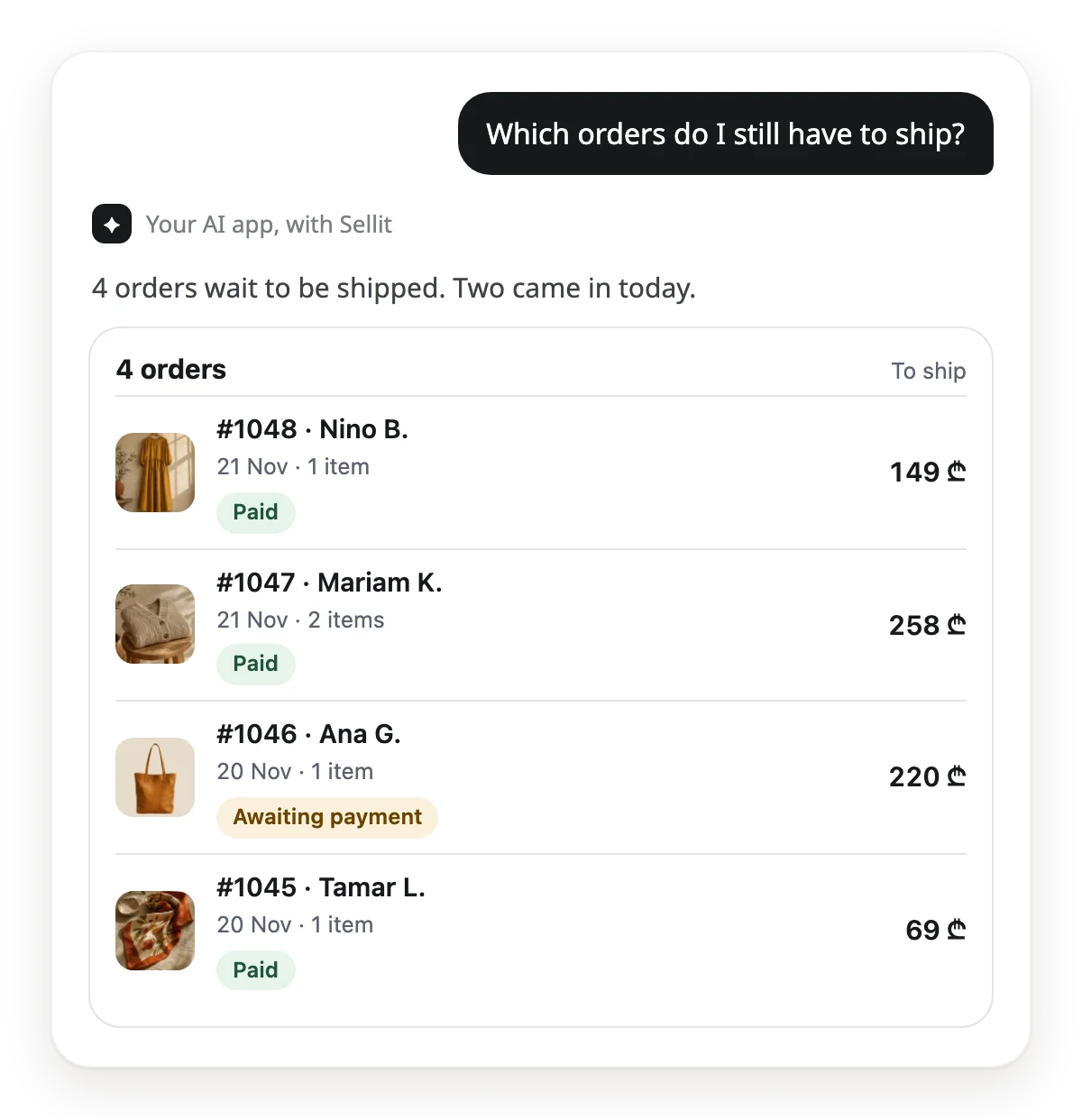
You drink your morning coffee and type on your phone: "Which orders do I still have to ship?" The answer comes back in the chat, with photos and totals. You never opened the dashboard. This is running a shop with AI: ChatGPT or Claude connects to your Sellit shop once, and then you do the daily work from chat.
This guide shows how to connect an AI app, what to ask on day one, how to set reports that arrive by themselves, and what always stays in your hands.
What shop automation with AI is
An AI app such as ChatGPT or Claude cannot see your shop on its own. It needs a bridge. On Sellit, that bridge is the MCP server: an open standard (Model Context Protocol) through which an AI app uses another product's functions. Sellit's MCP server gives the AI app more than 100 actions in your shop: orders, products, stock, discounts, sales figures and the site design.
Automation has two levels. First: you write, the AI does it. Second: you save a question on a schedule and the answer arrives by itself, for example every morning at 09:00.
- Time. A simple job, such as a stock change or an order status, is one sentence.
- One place. Orders, products and figures are in one chat, in plain words.
- Nothing slips. The morning report tells you what to ship, and the evening alert what is running low.
- Control. A payment, a refund or a text to a buyer is prepared first and runs only on your word.
What you need to start
- A shop on Sellit. A new shop has a 30-day free trial.
- An AI app. In Claude you add Sellit as a connector, also on the free plan (it allows one custom connector). In ChatGPT you add it as a custom app, on the plans where OpenAI allows it. Cursor, VS Code, Claude Code and n8n work too.
- A few minutes for the first connection.
Step 1: connect your AI app
You connect once. The exact steps for each app are on the help page: sellit.ge/help/ai_apps_connect
Claude
- In Sellit, open Settings → AI apps.
- Tap "Add to Claude".
- In Claude, sign in with your Sellit account, then pick the shop and the access level.
ChatGPT
In ChatGPT you add Sellit as a custom app with the server address shown in Sellit under Settings → AI apps. ChatGPT asks you to sign in to Sellit, then you pick the shop and the access level. Not every ChatGPT plan lets you add a custom app: check OpenAI's help page.
n8n, Claude Code and other tools
In Sellit, under Settings → AI apps, make a key. If the tool only needs to read, pick "View only". The key shows only once: keep it somewhere safe.
Step 2: your first requests
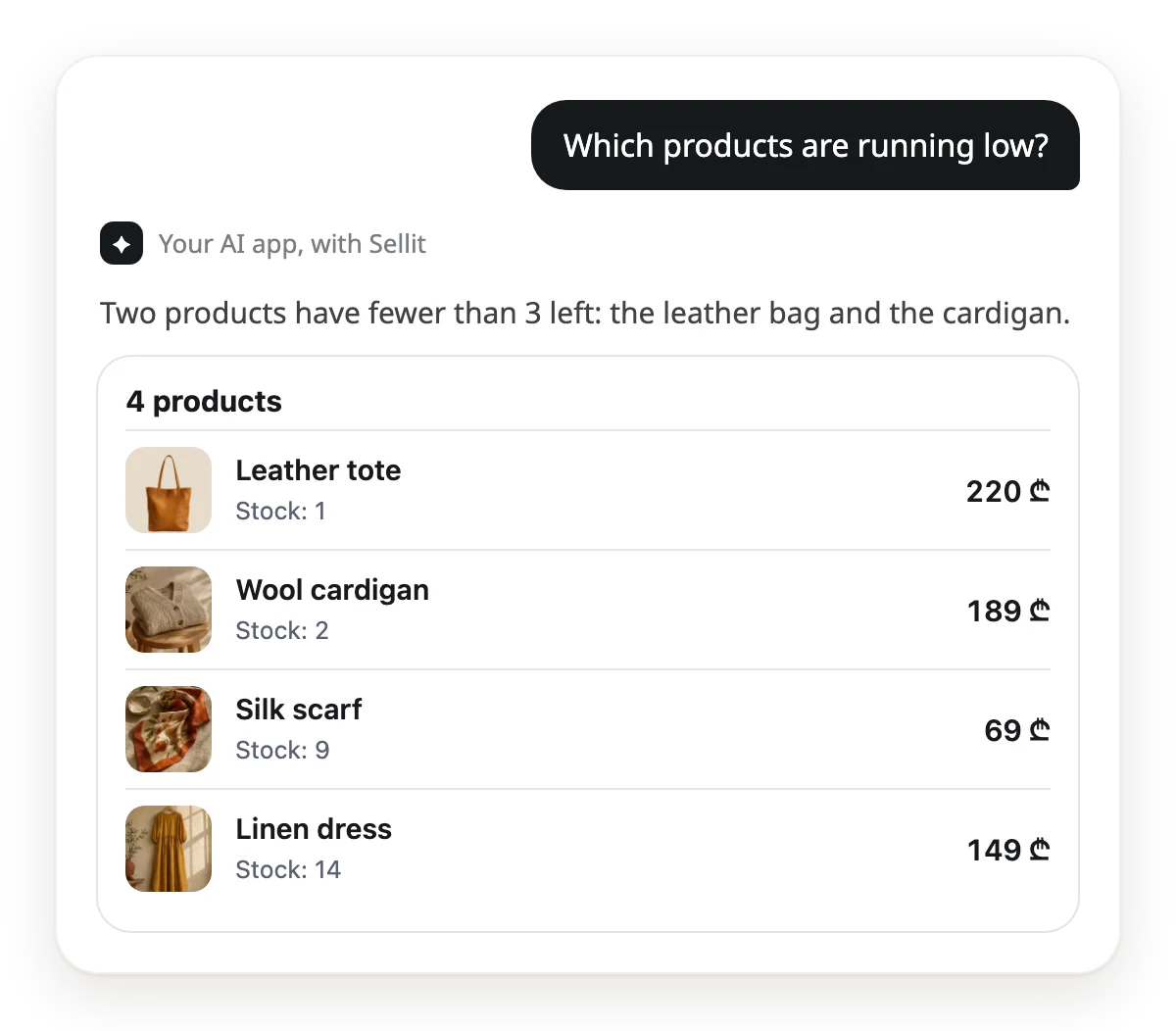
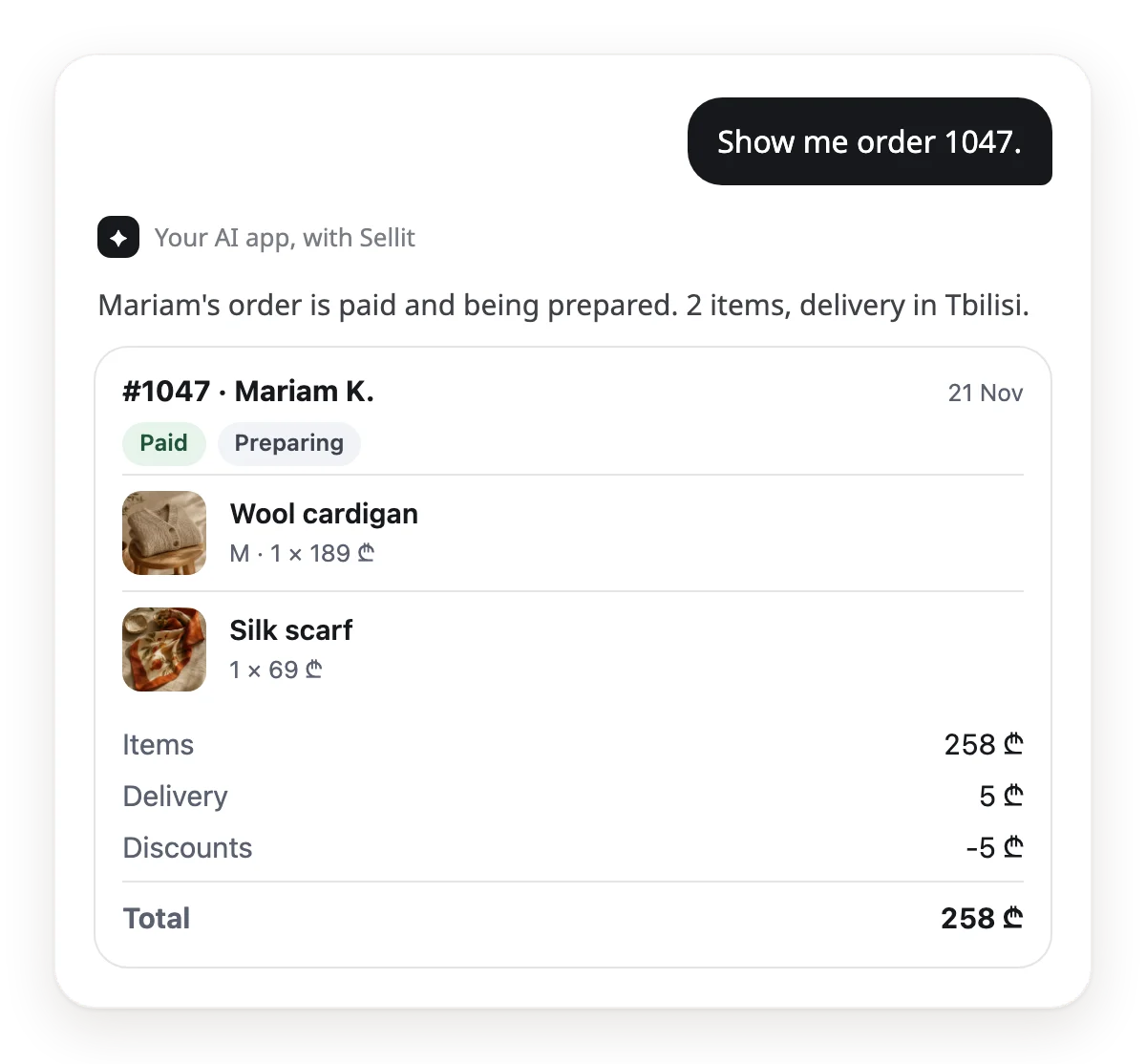
Start with a question that changes nothing. You see what the AI sees and how it answers.
Then ask for a small change. The AI changes it through the same steps as the dashboard and tells you what it did.
Set the leather tote's stock to 10.
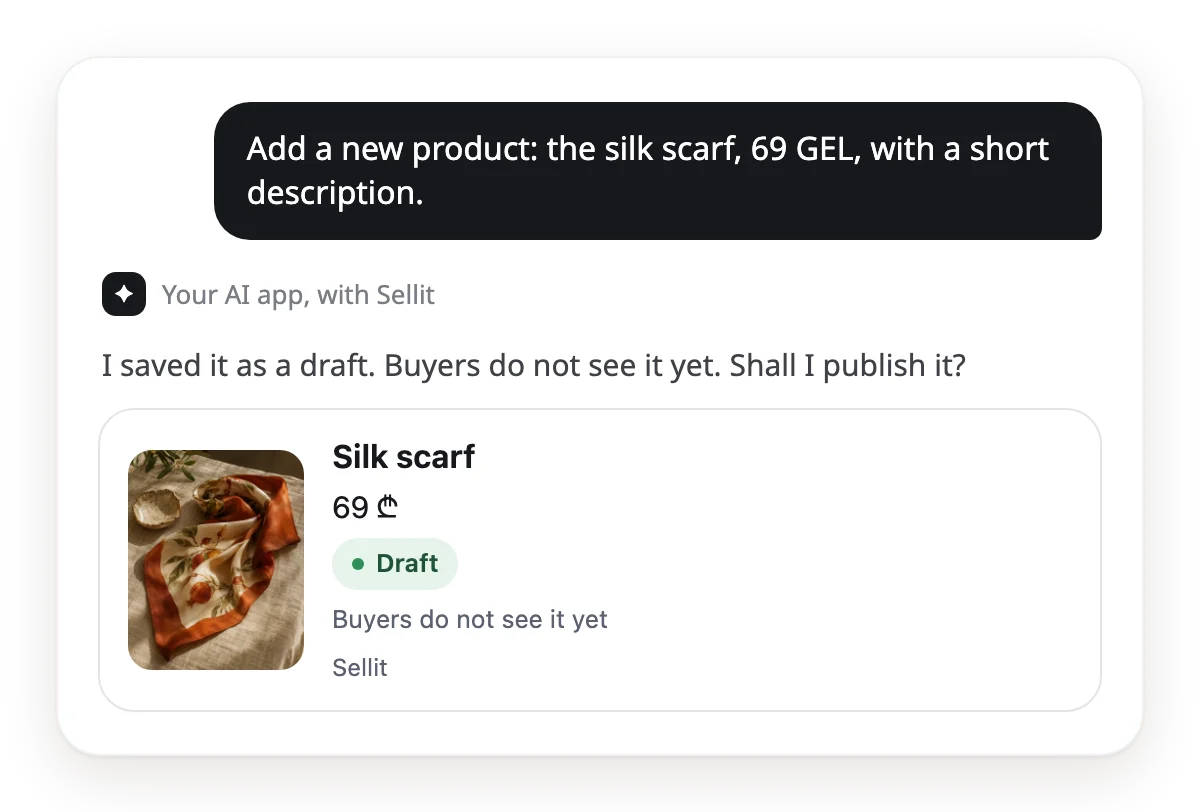
A new product starts as a draft. It appears in the shop when you say "publish". More sentences that help on day one:
- "Mark order 1048 as shipped."
- "Make a 10% discount code for the weekend."
- "Make me a payment link: the leather tote, 1 piece."
- "Turn the shop on in Google and write a title and description for search."
- "Build a new version of the home page and show me a preview."
Step 3: reports that arrive by themselves
This is where real automation starts. You save a question you ask every day as a scheduled task in your AI app. The answer arrives at the set time, and you only read it.

Where the schedule lives
- Claude: scheduled tasks are on the paid plans, hourly, daily or weekly. A task uses your connectors, Sellit included.
- ChatGPT: make a scheduled task on the Scheduled page or ask for one in chat. Run the first one by hand once and check that it can see the Sellit app: that depends on your plan.
- n8n: Schedule Trigger → AI Agent → MCP Client. Add the Sellit address and a "View only" key, then send the answer to e-mail or Telegram.
5 recipes to start with. Copy the text, try it in chat first, then save it on a schedule.
Morning orders, every day at 09:00
Show me every Sellit order that has not been shipped yet. For each one, tell me what to pack and for whom.

Running low, every day at 18:00
Which products have fewer than 3 left? List them, best sellers first.
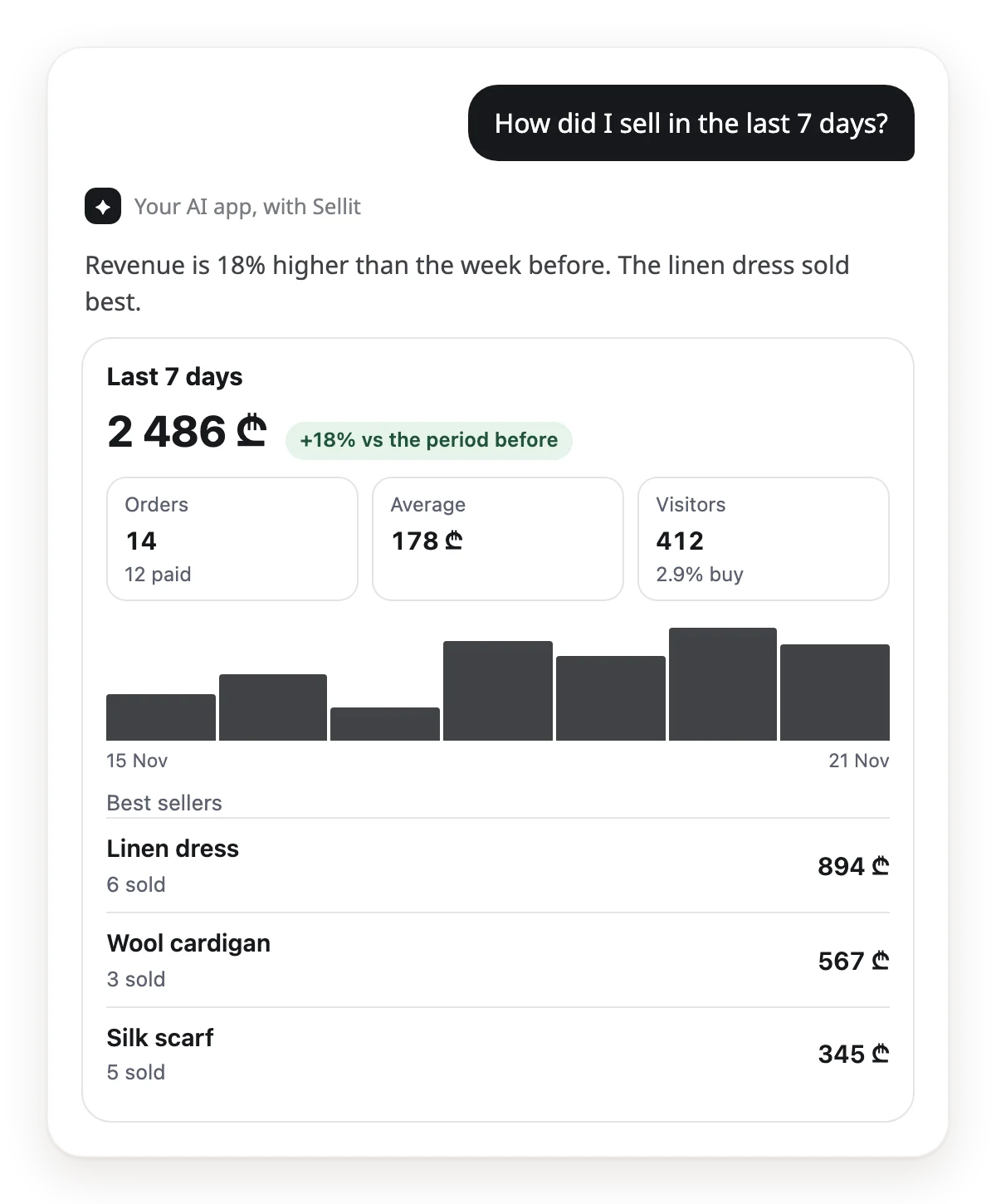
Weekly summary, Mondays at 10:00
Compare the last 7 days with the 7 days before: revenue, orders and the 3 best-selling products. End with one tip.
Unpaid orders, every day at 12:00
Which orders are waiting for payment or confirmation? Show the numbers, totals and how many days each has waited.
New requests, every day at 20:00
Who wrote to me from the site today and still has no answer? Show the requests, newest first.
Do you take bookings? Add a sixth one, every evening at 21:00: "What bookings do I have tomorrow? Show the time, the service and the client's name."
8 ways AI helps you sell more
The AI sees the whole shop at once: views, sales, stock and messages. Here is how to use that.
Sell right in the chat
A buyer wrote on Instagram or called? The AI makes a payment link in seconds. You send it, they pay by card.
Make me a payment link: the leather tote, 1 piece.
Many views, few sales
The AI finds products people look at but do not buy, and suggests a new title, description or price.
Which products get many views but few sales? What should I change?
Best sellers first
Your best sellers as a collection on the home page: buyers see what sells on the first screen.
Make a collection of my 6 best sellers and add it to the home page.
A short sale for slow stock
The AI finds products that have not sold for a long time and prepares a short sale to move old stock.
Which products have not sold in 30 days? Suggest a 3-day sale.
Get found on Google
A product with no description shows badly in search. The AI fills empty descriptions in Georgian and English.
Which products have no description? Write them in Georgian and English.
No message left unanswered
The AI gathers the requests and messages you have not answered and drafts short replies. You send them.
Who is still waiting for an answer? Draft a short reply for each.
The almost-sold order
An unpaid order is half a sale. The AI shows who is waiting to pay and drafts a reminder text.
Who has not paid yet? Draft a short reminder for each.
English for visitors
The AI writes an English name and description for your products, so a foreign buyer reads them in their own language.
Write an English name and description for every product.
What always stays in your hands
The AI app works through the same steps as the dashboard, with the same rights that you or your staff member have. Changes to the shop fall into three groups.
From chat, on your request
- Products: name, description, price, stock, sizes and colours.
- Discount codes, sales and collections.
- Delivery prices and opening hours.
- A payment link for a buyer.
- Order: shipped and delivered. The buyer gets Sellit's notice. On cash on delivery, "delivered" also records the payment.
- Google on or off, and the SEO text.
- Site design: a draft and a preview link.
- A photo from the chat or a link, straight onto a product.
Prepared first, then on your word
The AI prepares the change first and tells you what will change. It runs when you asked for exactly that or agree in chat.
- Publishing a product.
- Marking paid, rejecting a payment, cancelling.
- Refunds: only a manager or the owner, and only on a card-paid order.
- Manual orders and changing an order's items.
- Text to a buyer: a tracking note and SMS texts.
- Gift cards and bookings.
- Publishing the site design.
- Connecting your own domain (owner only).
- Calling a courier, with its price.
Only in the dashboard
- Sign-up and the first connection of an AI app.
- Card keys and bank details.
- Team, roles and keys.
- Closing the shop.
You can end a connection at any time: in Sellit, under Settings → AI apps.
5 tips so the AI understands you
- Be specific: the order number, the product name, the date.
- Before a big change, ask: "Show me what will change first."
- One job per sentence. Write several jobs as a list.
- Put only questions on a schedule. Make changes in chat.
- In ChatGPT, after a Sellit update, tap Refresh tools in the app's settings so new actions appear.
Summary
After one connection, the daily work is in chat: orders, stock, products, discounts and figures. Scheduled reports tell you what to do, and you decide what runs.
Ready recipes with a copy button: sellit.ge/ai/automations. Everything AI does on Sellit: sellit.ge/ai. The AI seller that answers buyers in messages: sellit.ge/ai-seller. The free Sellit skill for Claude and ChatGPT: sellit.ge/ai/skills